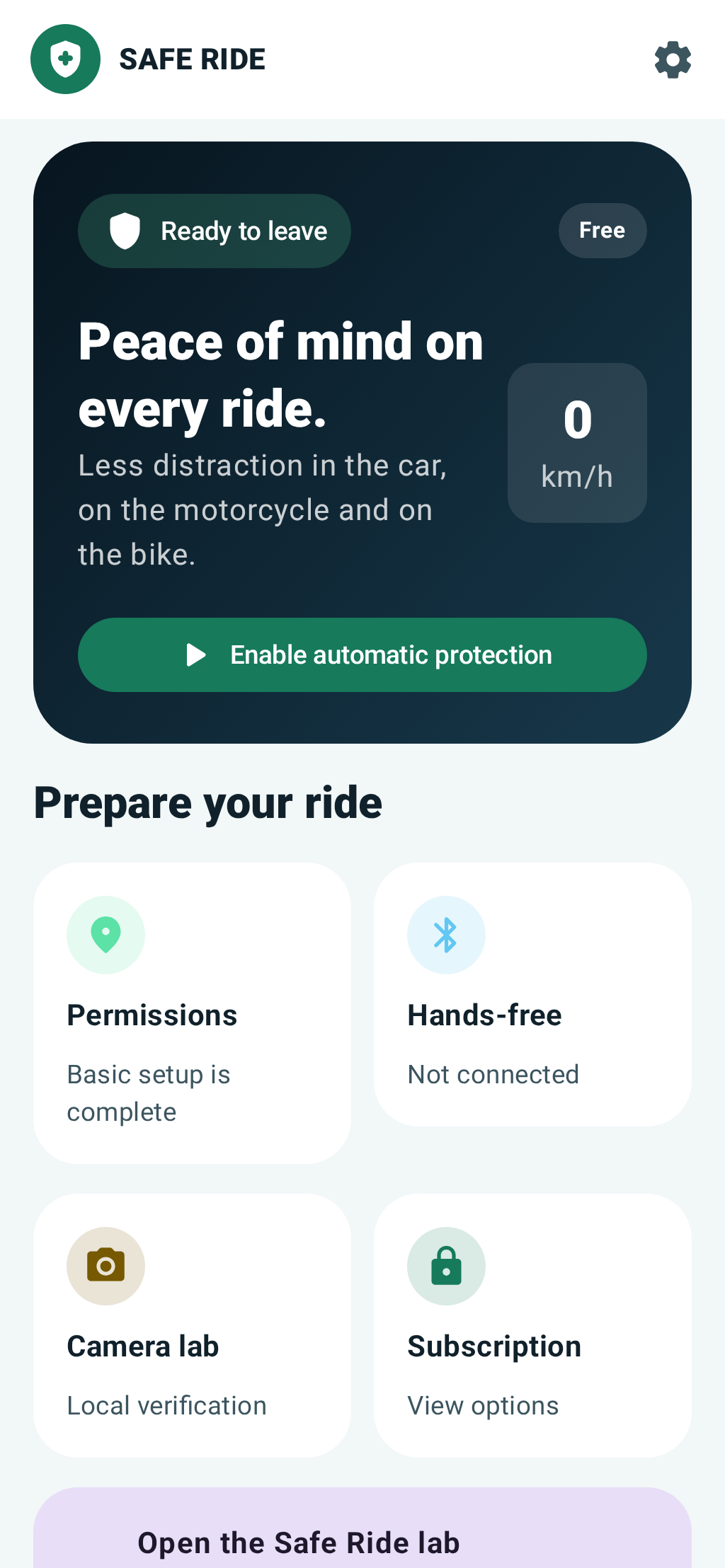
Prepare your phone before a journey and reduce distractions while travelling.
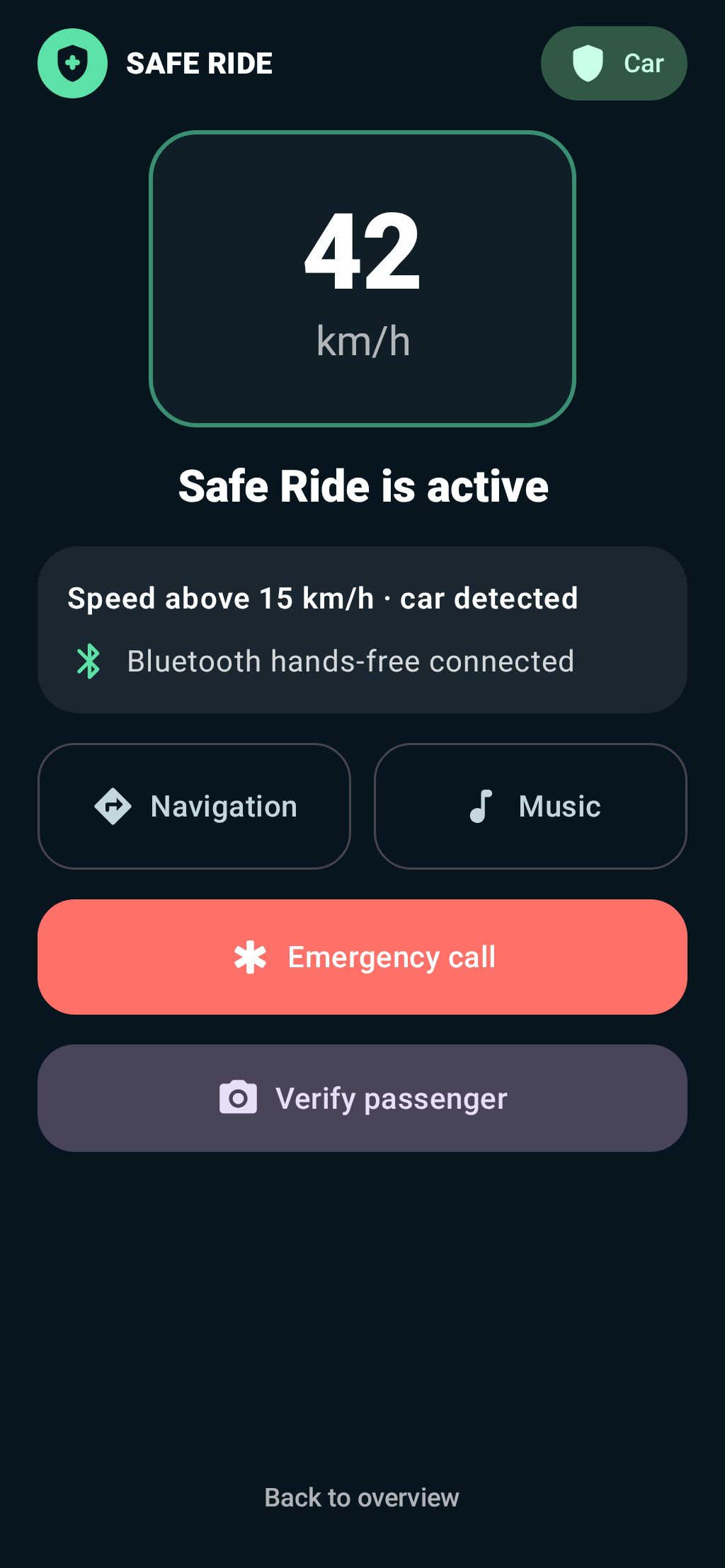
Safe Ride combines speed, GPS quality and movement recognition to activate a calmer driving screen. It supports car, motorcycle and bicycle journeys, with permission-based notification reduction and Bluetooth hands-free status.
For drivers and riders who want to prepare their phone before setting off.
Before departureCheck readiness, permissions and automatic protection while stationary.During protectionA reduced interface with journey status and essential controls.
Always set up and troubleshoot while stationary. Android permissions and device management affect which protections are possible.
Complete setup while parked. Do not adjust the app while driving or cycling.
Open Safe Ride before departure and review the readiness information. Choose the relevant vehicle or journey settings available in your plan.
Review location and movement permissions when Android asks for them. These signals help the app distinguish sustained travel from a brief location error.
If you want notification reduction, grant the requested Android Do Not Disturb access. Without that access, do not expect ordinary alerts to be silenced.
Connect your hands-free device before departure and check the displayed status. Choose navigation and music before you move.
Mount or put away the phone securely. Automatic protection waits for the configured threshold to be sustained; it is not a reason to watch the screen while moving.
GUIDE 02
Understand activation and permissions
Use the app's status information to identify the cause before changing settings.
If activation is unexpected, stop in a safe place before investigating. Check the detected travel mode and the activation reason shown on screen.
Check that location and movement access are still enabled in Android. Review the GPS quality rather than treating one speed reading as definitive.
Remember that the selected speed is an activation threshold, not a maximum speed at which protection works. Protection remains active above it.
For alerts that still arrive, inspect Do Not Disturb access and Android's allowed exceptions. A normal app can silence selected alerts but cannot stop the network delivering calls or messages.
GUIDE 03
Use optional camera features carefully
Driver and passenger detection is experimental and is not a substitute for your judgement.
Review the camera option and permission explanation before enabling it. This is separate from the ordinary speed and movement checks.
Camera analysis runs on the device while the relevant screen is visible. Images are not uploaded or permanently saved by default.
Do not treat a camera prediction as proof of who is driving. Use the available safe confirmation path for passenger correction when appropriate.
For an organisation-managed device, contact the fleet administrator about policy restrictions. Kiosk-level enforcement requires a properly provisioned Android Device Owner device.
Common questions
Answers for Safe Ride
Does Safe Ride block every call and message?
No. On an ordinary Android phone, it can reduce notifications through authorised Do Not Disturb access. It does not block the mobile network or universally lock system apps.
Why does protection not start immediately?
Speed, movement and GPS quality are considered together. A brief GPS spike is not enough; the configured threshold must be sustained.
Does protection stop above the selected speed?
No. The setting is an activation threshold. Protection remains active at higher speeds and deactivates after sustained low speed.
Are camera images sent to Vamit?
Optional camera analysis runs locally while its screen is visible. Images are not uploaded or stored permanently by default. Check the privacy policy for the full scope.
Can this replace safe driving habits?
No. Prepare the app before departure and leave the phone alone while travelling. Never use it as a reason to handle the phone while driving.
More detail
Features and background
How it helps
Protection that starts with the journey.
Automatic activation
Speed, GPS quality and Android Activity Recognition are combined. A brief GPS spike is not enough to activate protection.
Car, motorcycle and bicycle
The free safety foundation supports all three travel types with a standard threshold of 15 km/h sustained for five seconds.
Calm driving screen
Large controls show speed, travel mode, hands-free status, navigation, music and emergency access without unnecessary animation.
Notification reduction
With Android's explicit Do Not Disturb access, ordinary call, SMS and chat alerts can be silenced during protection while alarms remain audible.
Bluetooth hands-free
Safe Ride can detect a connected headset or vehicle profile and disables new normal calls inside the app when hands-free is unavailable.
Privacy-first camera option
Optional visible camera verification analyses multiple frames on the device. Images are not uploaded or saved by default, and predictions remain experimental.
Plans
Safety first in every plan.
Free
Essential protection
Automatic protection from 15 km/h, car/motorcycle/bicycle modes, driving screen, Bluetooth status, passenger correction and one vehicle profile.
Premium
More personal control
Night mode, two vehicle profiles, adjustable activation up to 50 km/h, local experimental driver detection and extended local reports.
Family
Shared safety settings
Premium features for up to five users and vehicles, adjustable activation up to 70 km/h and local family safety policy controls.
Fleet & Enterprise
Managed devices
Organisation roles, device enrolment, centrally configured policy and managed-device options. Device Owner provisioning is required for kiosk-level enforcement.
Available now. Download Safe Ride through Google Play. Prices and purchasable plans are shown only through Google Play when their products are active; the website does not display invented or hard-coded store prices.
Clear about Android
Protection, not an impossible promise.
A regular Android app cannot universally block every system app, incoming call, SMS or system setting. Safe Ride reduces distraction through official Android APIs. Strong kiosk restrictions require a company-managed Device Owner device. Driver/passenger camera detection is experimental and never creates a permanent lock by itself.
For help with Safe Ride, mention your app version, device and what happened. Do not send passwords, invitation codes or unnecessary personal information.