Two connected players
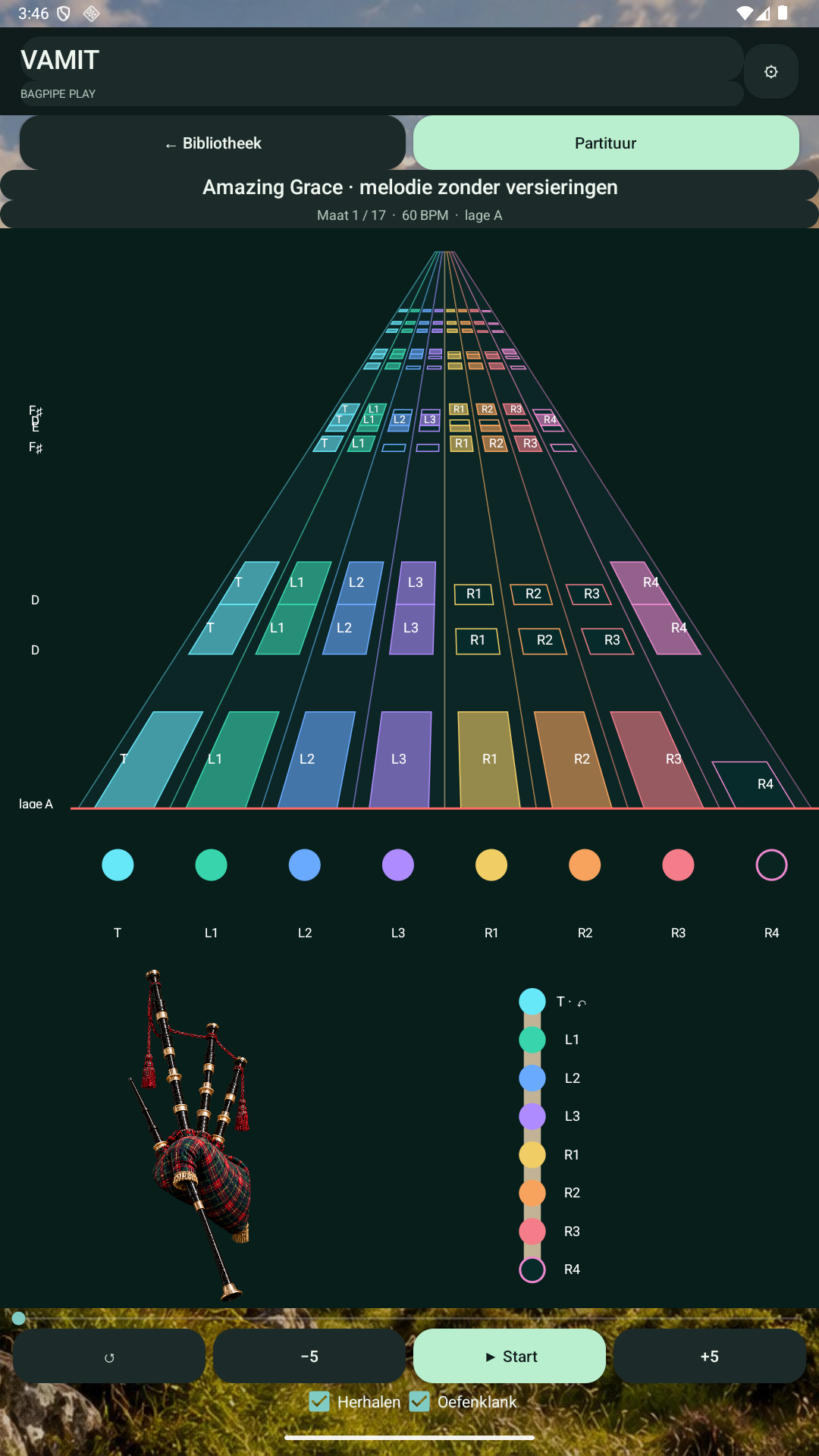
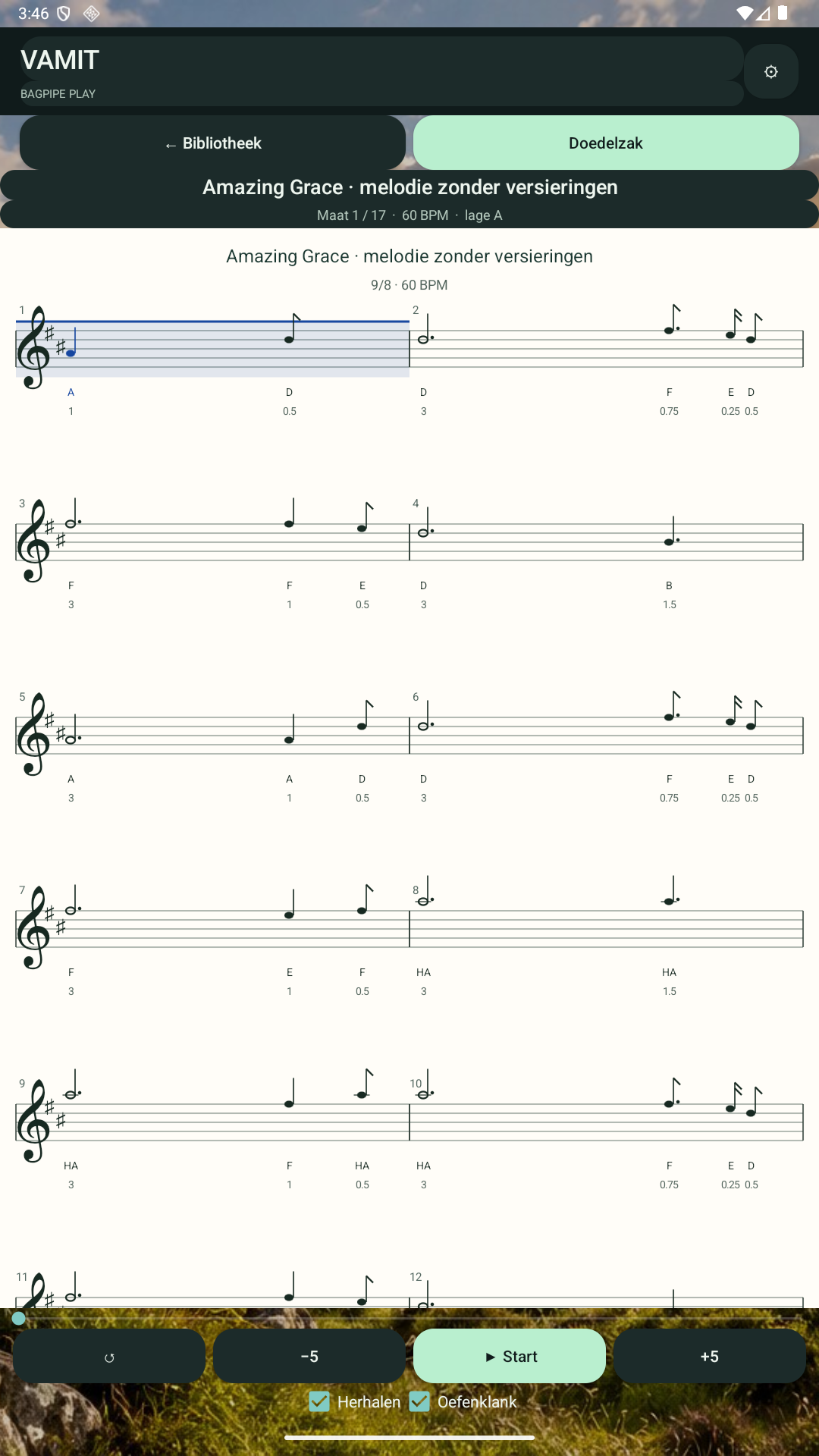
Choose classic notation or the interactive bagpipe view. Eight coloured lanes show finger codes, with one note name for the complete fingering. Switch views while keeping your place and tempo.

Music & practice
Your scores. Your tempo. Two ways to practise.
Practise Great Highland bagpipe music with classic sheet notation or an interactive perspective view with eight finger lanes. Import supported scores, follow the finger changes and build your own music library.
Made for bagpipe practice
Choose classic notation or the interactive bagpipe view. Eight coloured lanes show finger codes, with one note name for the complete fingering. Switch views while keeping your place and tempo.
Read supported BWW/BMW, MusicXML/MXL and standard MIDI files locally. Choose a melody part, review the notes and transposition, then open either player. Unsupported notation produces a clear message.
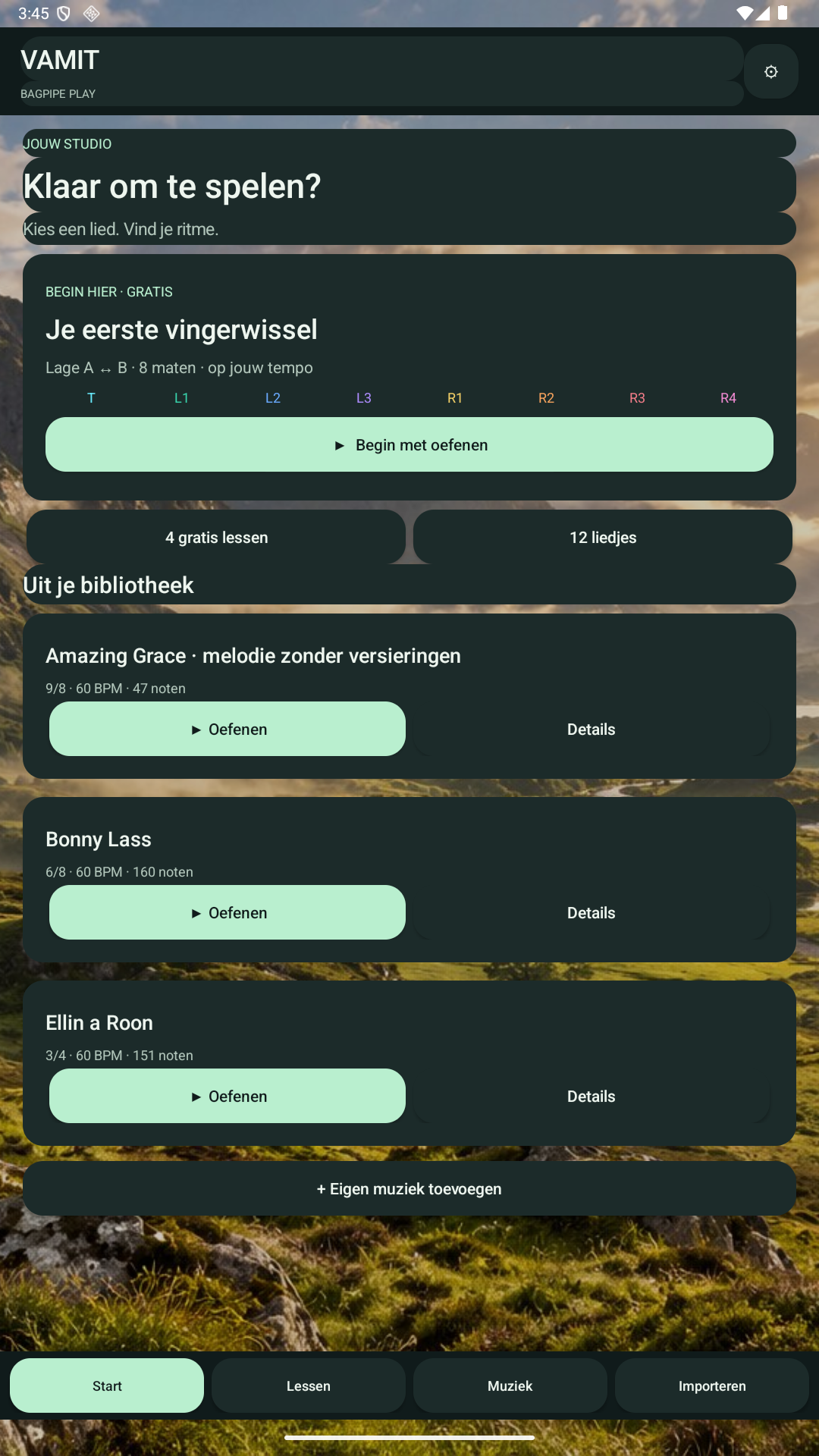
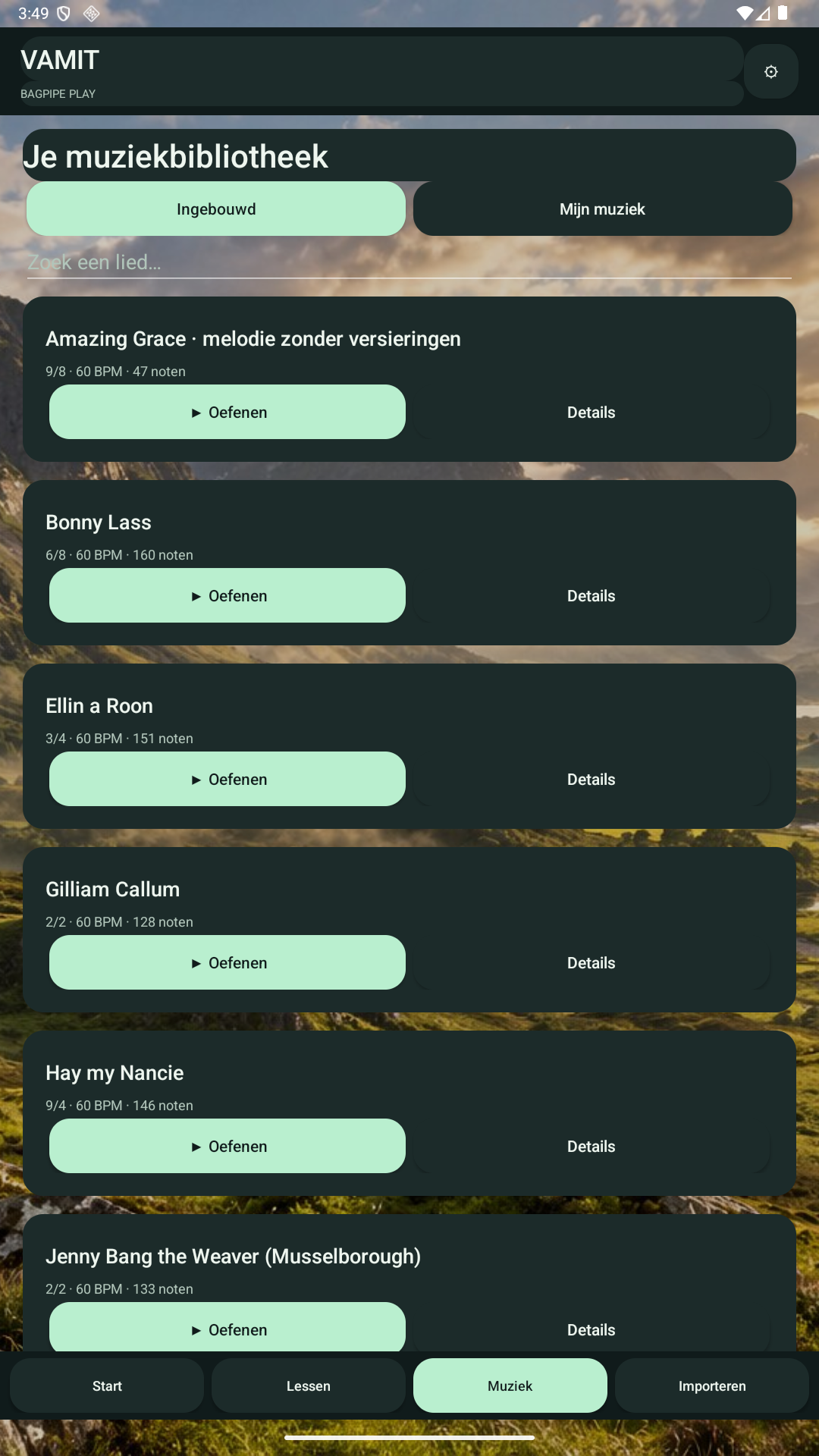
Start with 12 included traditional tunes and four introductory lessons. Keep imported music in My music and organise it with categories. Tune credits and source information are available in the app.
Adjust tempo, pause, seek, restart and repeat. The synthesised practice sound helps you follow the melody. It is a practice aid and does not assess your live playing.
Choose from 15 Scottish backgrounds, several themes, larger text and colour-vision palettes. Finger codes and filled/open rings carry meaning alongside colour. The interface supports 50 languages, including Dutch, English and French.
Both players, the lessons and included music are available in the free version. Optional Premium removes advertising for €4.99 per month in euro regions. Google Play shows the applicable local price and renewal terms before purchase.
Inside the app
Android app previews. Appearance depends on the app version, screen size and selected settings.
From the first step
GUIDE 01
GUIDE 02
GUIDE 03
Common questions
Yes. Bagpipe Play is available for Android. Download it on Google Play.
It imports supported BWW/BMW, MusicXML/MXL and MIDI files, checks their melody against the Highland bagpipe range and makes them available in both players. Common BWW ornaments and ordinary MusicXML repeats with first and second endings are supported. Complex piobaireachd, some ornaments, chords and tempo or meter changes are not yet fully supported; the app reports unsupported notation.
No. Android imports the resulting MusicXML after recognition elsewhere. The separate computer recognition helper can make mistakes, so always compare its output with the original score.
No VAMIT account is required. Included music, supported score imports and core playback work locally. Advertising, Google Play purchases and email use their own online services.
Premium is an optional ad-free subscription at €4.99 per month in euro regions. It renews monthly unless cancelled through Google Play. Both music players and the practice content remain available free. Google Play displays the final local price and purchase terms.
Full-screen advertisements are limited to natural navigation breaks outside the player, after at least three minutes. The Android home screen has a fixed banner. An active Premium subscription removes these advertisements.
Your library and categories remain on your device. They are not uploaded to VAMIT. Clearing the app's storage or uninstalling removes its local library; export important scores to keep your own copies.
Here to help
Contact support@vamit.net with the app version, your device and the steps that led to the problem. Leave passwords and sensitive information out of your message. We can reply to the email address you use.